Disable-CD-autoplay-Windows-XP-Pro
CD autorun can be one of the biggest annoyances ever.
If you are running Windows XP Pro this is the way to disable autoplay for
good.
Local group policy will be used to disable autorun. This is the fastest and less
dangerous way to do it.
First Click Start
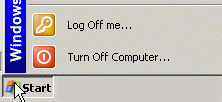
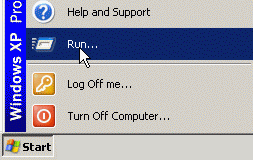
Click Run
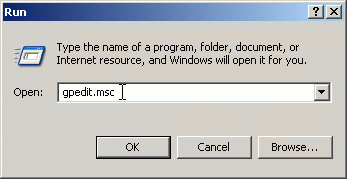
Type gpedit.msc
The group policy management console will appear
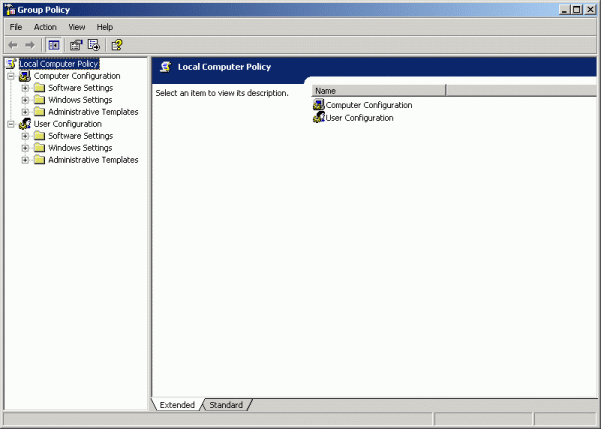
On the left panel double click Computer Configuration

then double click Administrative Templates
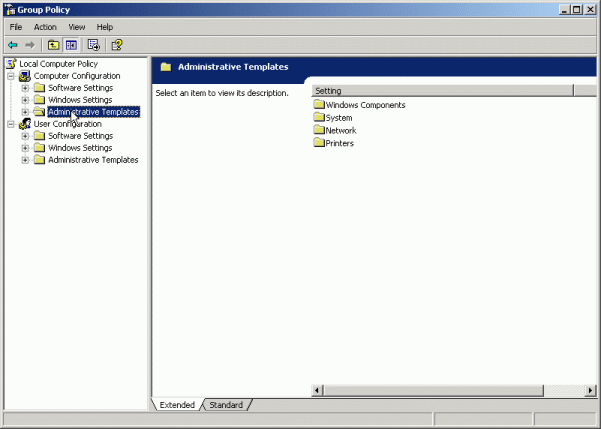
then double click System

on the right panel find Turn Off Autoplay and double click it

The following window will appear. The option to be selected is Enabled.

Click Apply and you are done!
Should you decide to enable autoplay again
just follow all the above steps but at the last one choose Disabled.